
Adding a guest to your event is step one — invite them to a function to make it count.
Here's a step that trips people up: adding someone to your event isn't the same as inviting them. Guests live on the event, but RSVPs and seating happen per function — so a guest only counts as invited once they're added to the relevant function.
Single-thing events: it's automatic
If you chose "Just one thing" when you created your event, there's nothing extra to do — every guest you add is automatically invited to your single function.
The catch once you add more functions
That automatic invite only happens while your event has exactly one function. The moment you add a second function — which you're free to do — Vesavo can no longer assume who's invited to what, so new guests are not auto-invited. From then on, you choose which functions each guest belongs to.
How to invite guests to a function
- Open a function and add the guests who are coming to it, or
- Use the "Invite guests" prompt on your event overview to add people in bulk.
Vesavo helps you catch the gaps
The overview draws your attention to two easy-to-miss situations: guests who aren't invited to any function yet, and functions that don't have any guests. Clear both and you know everyone has somewhere to be.
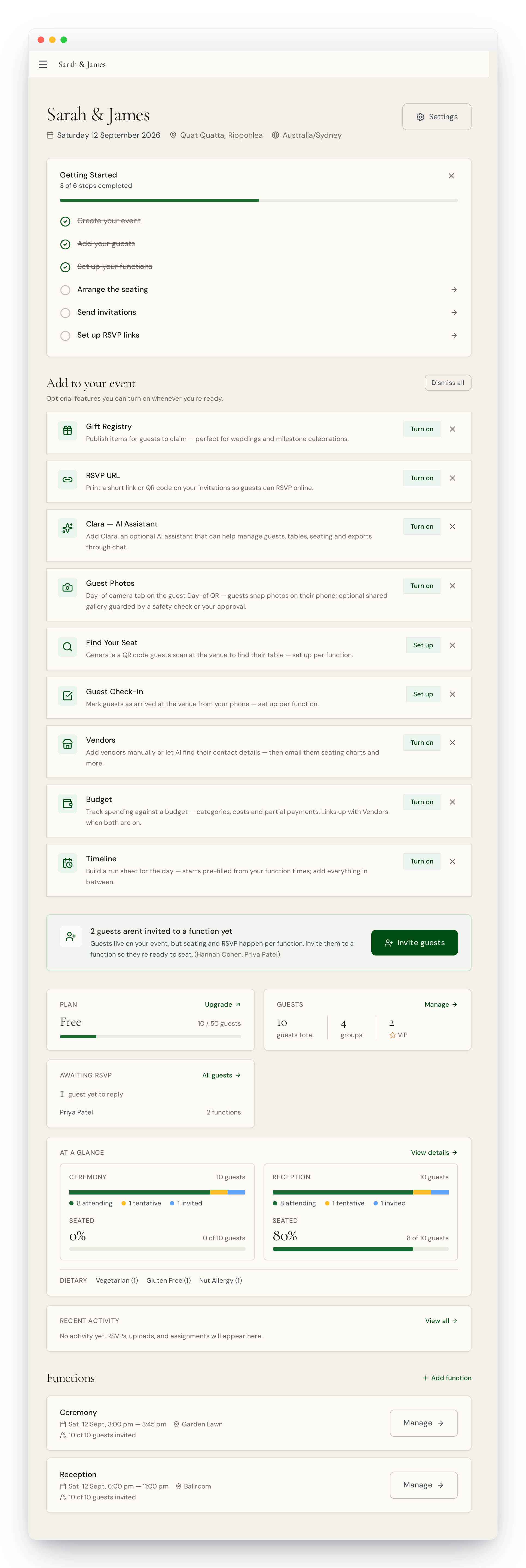
A guest who isn't invited to any function won't receive an RSVP request and won't appear in seating. If someone seems to be missing, check their function invitations first.